How it worksCloud or localLaunchersFAQ Get it on Boosty

Launcher for Skyrim

Characters that come alive

AI-NPC mods give game characters a voice, a memory and a character of their own. Installing them is long and complicated: dozens of dependencies, a voice server, keys, load order. AD launchers do it for you — and show where help is needed.

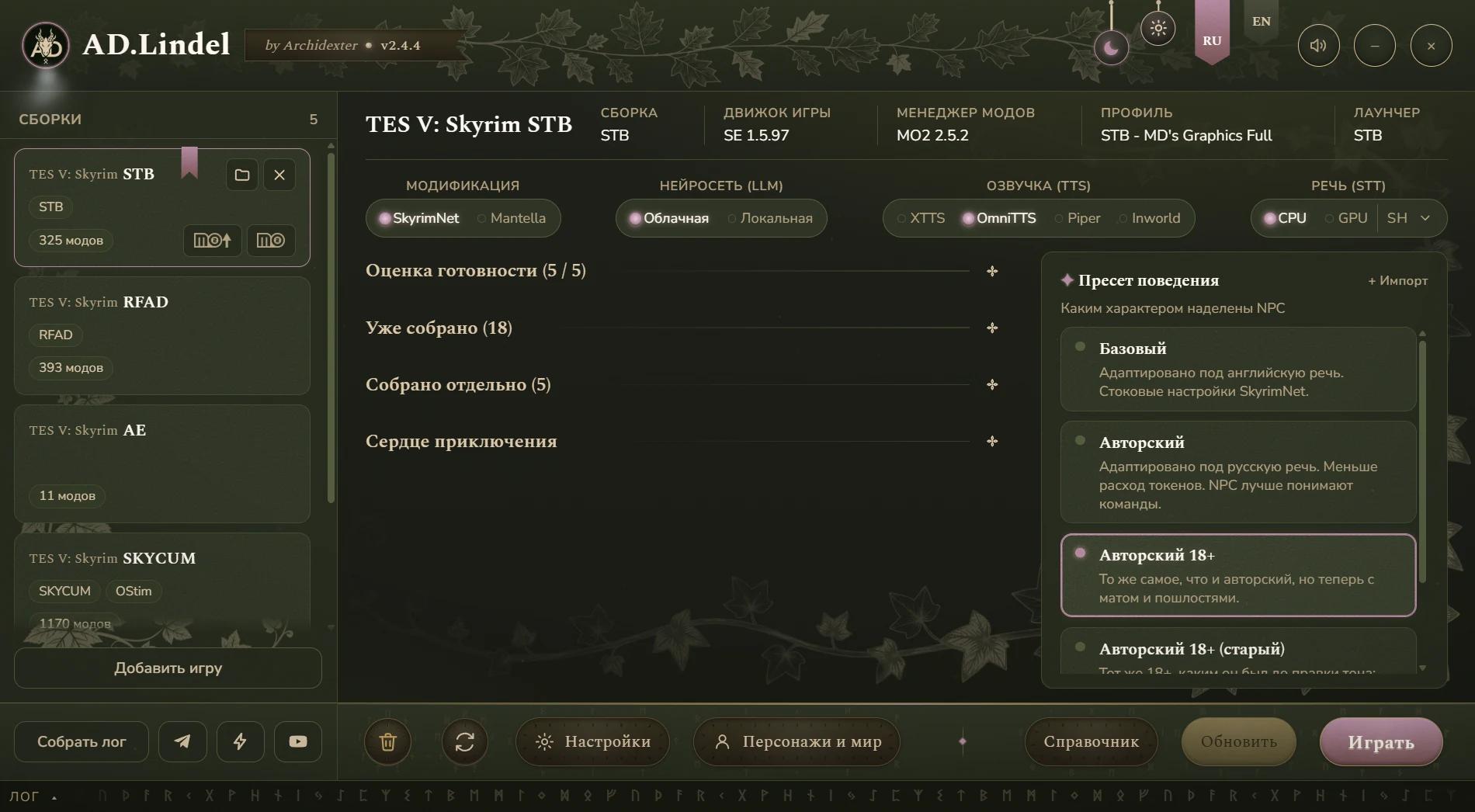
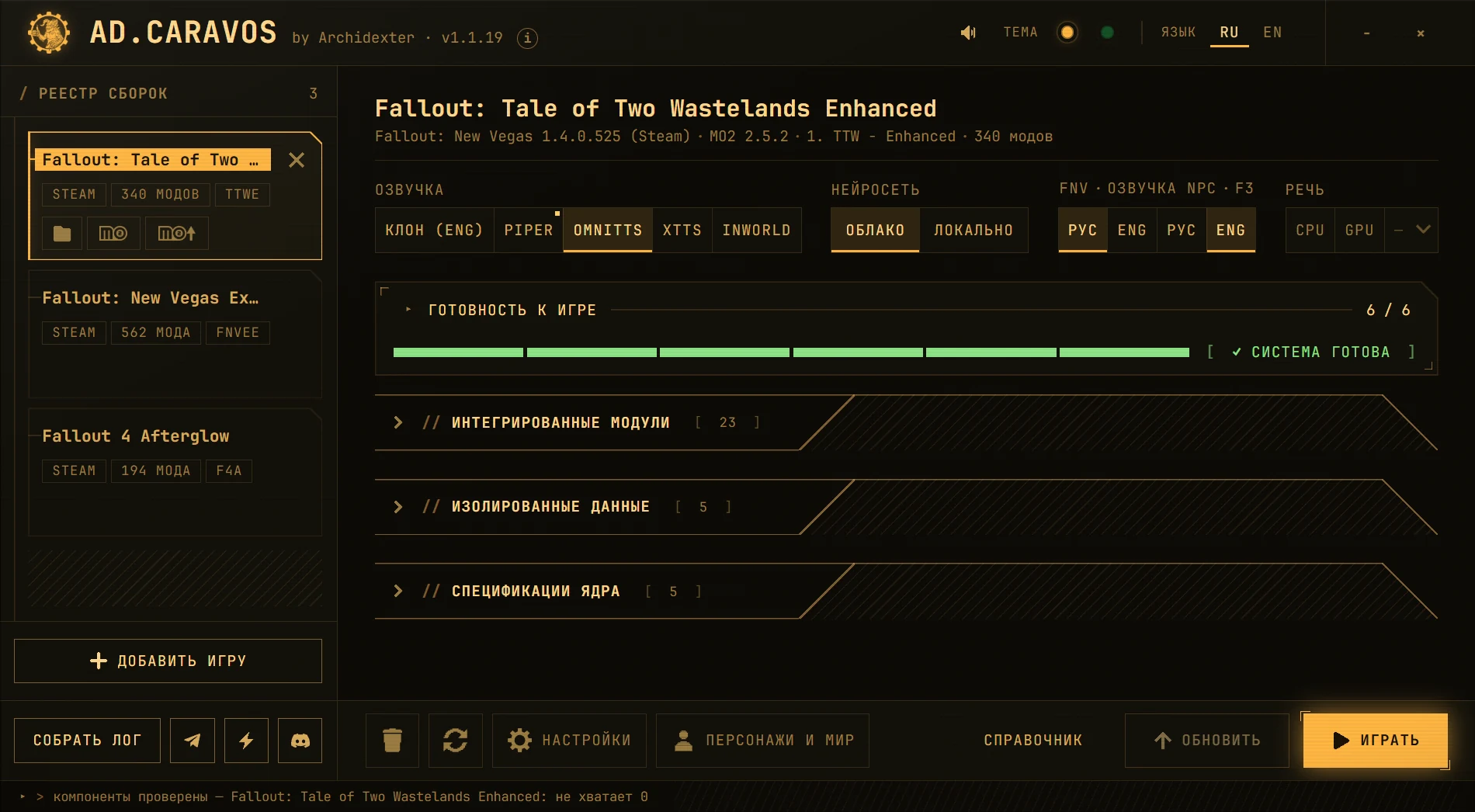
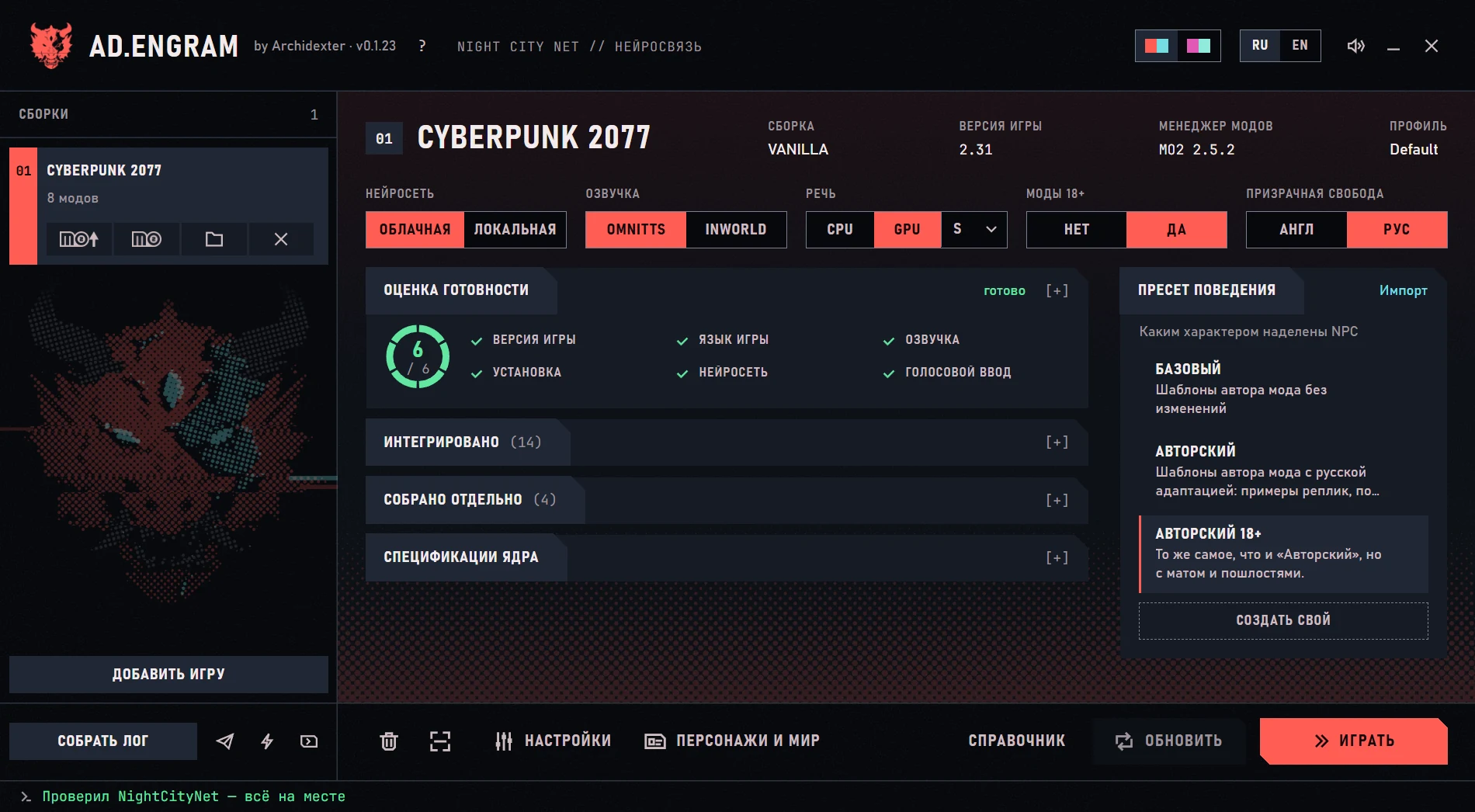
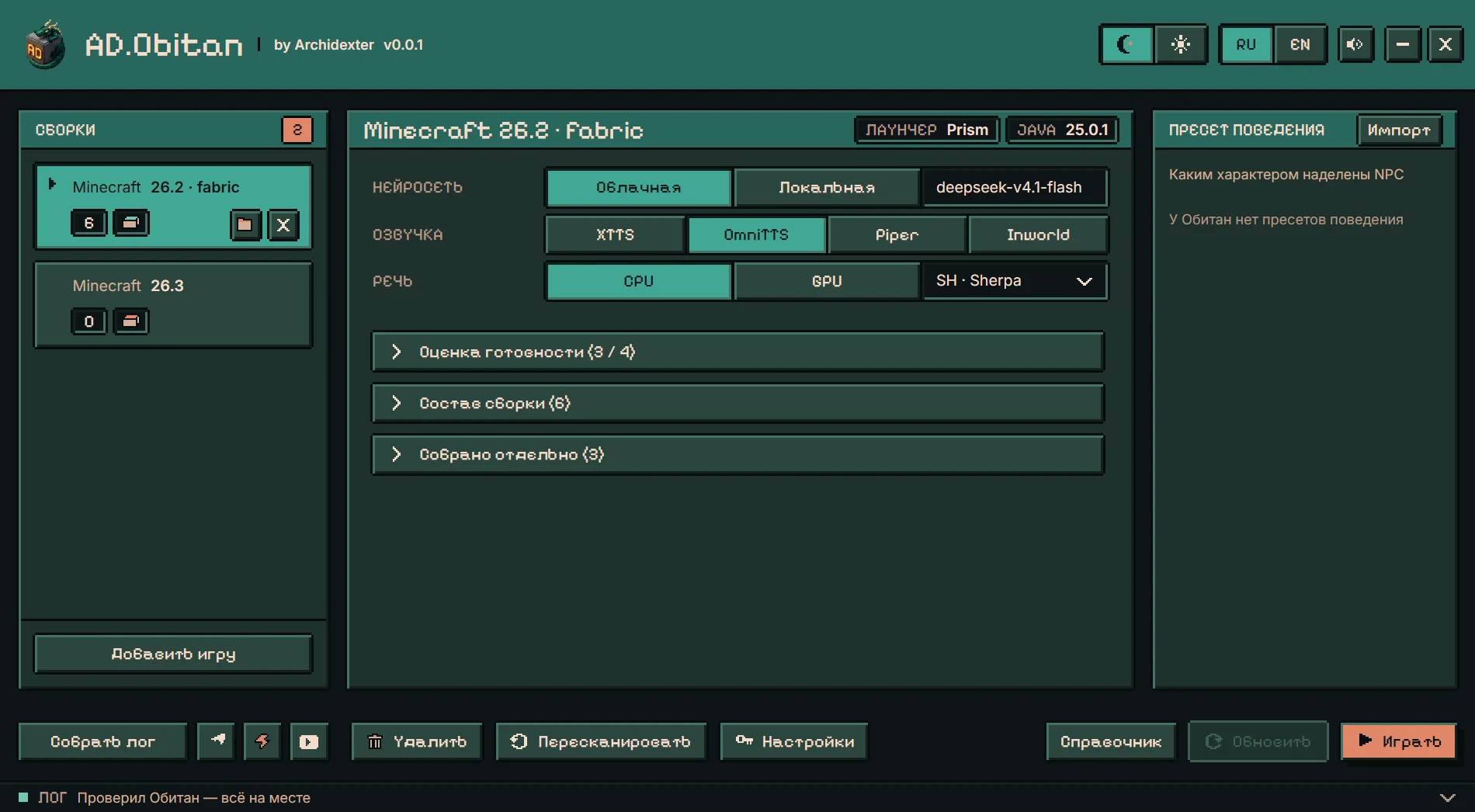
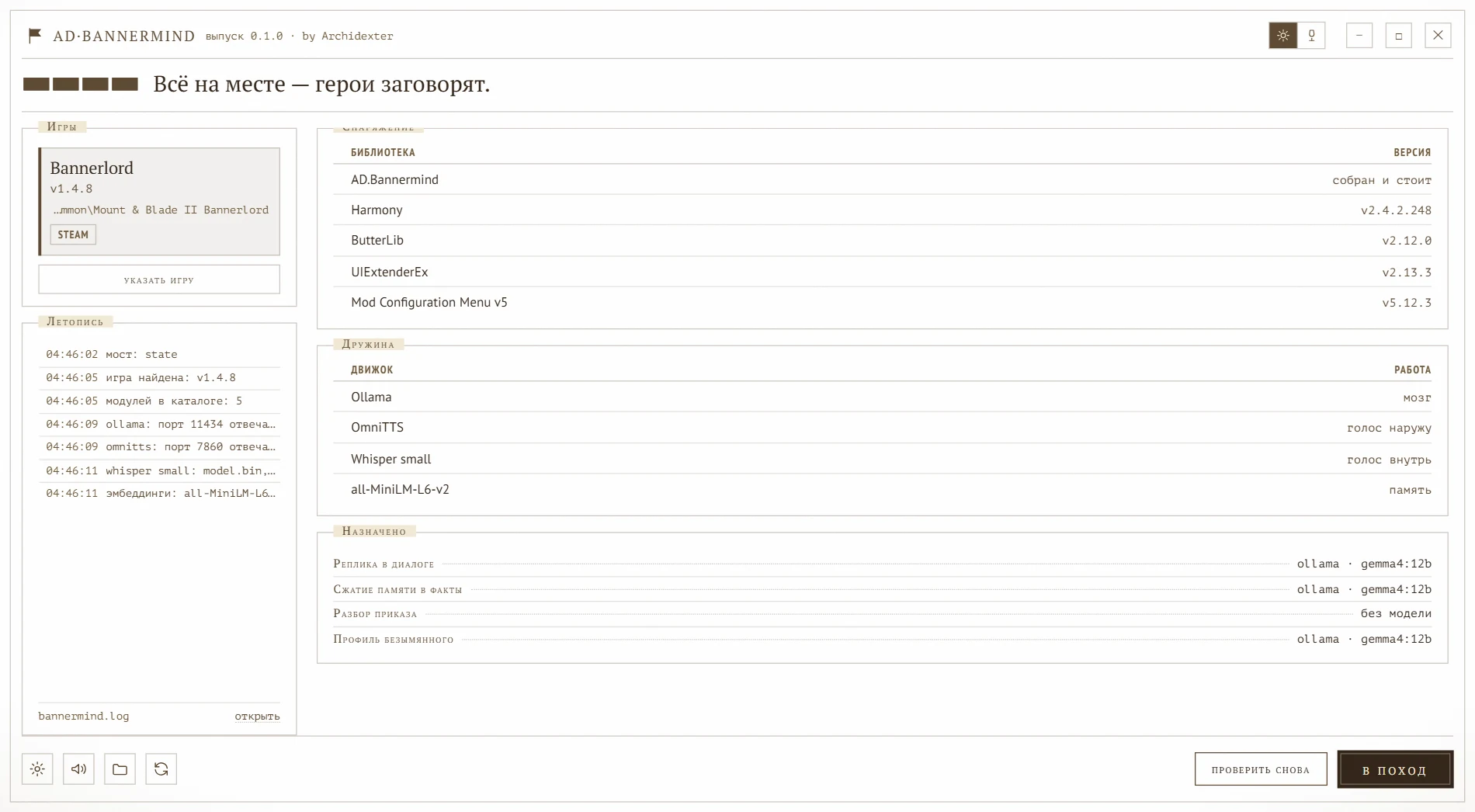
Window of AD.LindelWindow of AD.CaravosWindow of AD.EngramWindow of AD.ObitanWindow of AD.Bannermind
Guard

Hold, traveler. The north road isn’t safe these days — wolves, bandits, and you without armor. Sit by the fire and tell me where you’re headed.

Sample line
AD.LindelAvailable on Boosty

Installs SkyrimNet, SeverActions and IntelEngine and wires up voice and AI right into your build.

Details

How it works

Readiness check

Before you play, the launcher checks the components that matter. If something is wrong, it says so and tells you how to fix it.

Click the “AI model” row: that is how the launcher reports a problem.

Readiness check

0 / 5
Game version Finds the installed game and your setup and checks the version. ready
Installation Installs the mod and everything it needs, in the right order. ready
AI model Connects a cloud provider with your key, or a model on your own PC. ready Settings
Voice Sets up a voice — local or cloud. ready
Speech recognition Installs the model that turns your speech into text. ready

Cloud or local

What runs in the cloud and what runs on your PC is up to you

The AI model, the voice and speech recognition are three independent choices. A cloud model with a local voice, or everything on your own GPU: build it your way.

AI model
Voice
Speech recognition
In the cloud On your PC
Microphone you speak
Speech recognition Whisper
AI model
Voice
Character answers in the game

What you will need

    Boosty subscribers get a key from the authorA cloud AI model with a monthly limit: you can try it without paying a provider separately.

    A cloud model is billed by the provider. Any OpenAI-compatible address will do; the launchers’ lists also hold ready-made ones (the set depends on the launcher):

    The NanoGPT and Polza.ai links are the author’s referral links.

    The choice between Whisper and Sherpa is in AD.Lindel. In the other launchers speech recognition is matched to the mod.

    System requirements

    What your PC needs

    The graphics card matters most: the local AI model and the voice run on it. The more you move to the cloud, the less video memory you need.

    System
    Windows, 64-bit
    Processor
    With AVX2 support: without it AD.Lindel cannot bring NPCs to life
    Internet
    Needed for the install, a cloud model and a cloud voice; with everything local it is not needed after the install
    How much video memory you have, GB
    Launcher

    Setups: with room to spare — 5, barely enough — 4, not enough — 23

    AD.Lindel
    Voice
    OmniTTSXTTSPiperInworld
    Skyrim
    Cloud model, vanilla8 — enough, with room to spare12 — just barely enough4 — enough, with room to spare4 — enough, with room to spare
    Local** model, vanilla16 — not enough18 — not enough14 — not enough14 — not enough
    Cloud model, graphics mods*12 — just barely enough16 — not enough8 — enough, with room to spare8 — enough, with room to spare
    Local** model, graphics mods*20 — not enough22 — not enough16 — not enough16 — not enough
    Skyrim VR
    Cloud model, vanilla16 — not enough20 — not enough12 — just barely enough12 — just barely enough
    Local** model, vanilla24 — not enough26 — not enough22 — not enough22 — not enough
    Cloud model, graphics mods*20 — not enough24 — not enough16 — not enough16 — not enough
    Local** model, graphics mods*28 — not enough30 — not enough24 — not enough24 — not enough
    • * Graphics mods — a heavy graphics build, usually more than 200 mods.
    • ** The local-model figures are for the Gemma 4 12B model.
    • Skyrim VR: by the author’s measurements, VR rendering takes another 8 GB from the card.
    • The figures are the author’s measurements.

    Requirements for AD.Obitan and AD.Bannermind are not defined yet.

    The launcher window

    What is where in the window

    Every launcher’s window follows one plan. Hover or tap a list item and its place lights up in the window.

    1. 1

      Setups

      The list of your games and mod setups. Each has its own settings and one click switches between them; “Add game” adds another.

    2. 2

      Setup details

      Which game was found, its version, the mod manager and the profile: what the launcher worked out by itself.

    3. 3

      Mod, AI model, voice, speech

      Four independent choices: SkyrimNet or Mantella, a cloud or a local model, which voice, what recognizes speech.

    4. 4

      Readiness check

      The main spot of the window. Each check is either ready or named in words — for example “OpenRouter — key not verified” — with a button next to it.

    5. 5

      Behavior preset

      What character the NPCs get: a ready preset, “Import” or “Create your own”.

    6. 6

      “Settings” and “Characters and world”

      “Settings” — AI keys, models, hotkeys. “Characters and world” — NPC biographies, your hero, the world.

    7. 7

      “Collect log” and “Guide”

      Something went wrong — “Collect log” gathers the logs for diagnosis. “Guide” keeps hints right in the window. Telegram, Boosty and YouTube icons sit nearby.

    8. 8

      “Update” and “Play”

      “Update” installs fresh mod versions, “Play” starts the game.

    Window of AD.LindelWindow of AD.CaravosWindow of AD.EngramWindow of AD.ObitanWindow of AD.Bannermind

    Getting started

    Four steps

    1. Get the archive on Boosty

      Launchers are distributed on the author’s page — by subscription or by buying a post. There are no archives in public repositories.

    2. Unzip and run

      Into any folder. Run AD.Lindel.exe, AD.Caravos.exe or AD.Engram.exe — whichever you took.

    3. Follow the prompts

      From here the launcher leads: what to install, what is not ready yet, what to press.

    4. Launch the game and talk to the characters

      When everything is ready, press “Play”: the launcher starts the game for you. All that is left is to walk up to any NPC and start talking.

    Subscription and mods

    What you are buying

    A Boosty subscription is access to the launcher itself. But the launcher is more than an installer: behind it stands work you do not see in the window. The author makes the settings, adaptations and translations for each game and each mod version.

    Installation and updates

    The launcher finds the game and your setup, installs the mod and everything it needs, checks that everything is in place and removes what it installed just as cleanly. When a mod comes out in a new version, the author adjusts the install rules and our files to it.
    Settings for a Russian game

    Ready-made character behavior presets adapted to Russian speech, and model sets for each AI role. Keys, models and hotkeys are set in the window, not in files.

    Voice and speech recognition in Russian

    Not every voice or speech-recognition engine works with a mod out of the box or knows Russian. The author connects them to the mods, builds the missing bridges and adds Russian voices and models: Piper, XTTS (including AMD graphics cards), OmniTTS, Sherpa, Whisper.

    Russian translations

    The SkyrimNet panel and the SeverActions windows are fully translated — on an English game too. For Cyberpunk 2077 the Russian translation of NightCityNet is installed, and in Fallout you can type to characters in Russian.

    Troubleshooting and fixes

    Something does not work — “Collect log” puts the logs into one archive. The author goes through them and ships a fix in an update.

    An AI key to try it

    Boosty subscribers get a key to a cloud AI model from the author, with a monthly limit that depends on the subscription level. You can play and see how it all works without paying a provider separately. After that you can connect your own key.

    The mods, models and voices the launcher installs are made by other people and stay under their authors’ licenses. The launcher downloads them from the authors’ sources or from open mirrors — free and without registration. What comes from where, and under which license, is listed in section 2 of each launcher’s license.

    Are you a mod author and want to clarify something? Write to the launchers’ author on GitHub.

    Boosty

    The launcher and the work around it

    AD.LindelAD.CaravosAD.Engram

    From their authors and open mirrors

    Everything it installs is free

    SkyrimNetSeverActionsIntelEngineMantellaNumenNightCityNetSKSExNVSEWhisperSherpaOllamaPiperXTTSOmniTTS

    FAQ

    Frequently asked questions

    What is an AI-NPC mod?
    A mod that hands characters’ lines to an AI: NPCs answer what you say, remember the conversation and can act. The launcher plays nothing for you — it installs and configures such mods: SkyrimNet, Numen, NightCityNet and others.
    Do I need an AI key?
    A cloud model needs a provider key — you enter it in the launcher itself. Boosty subscribers get such a key from the author, with a monthly limit, so they can try it. A local model runs on your PC through Ollama: no key, no internet, but you need a suitable graphics card.
    How much does it cost?
    The launcher — by a Boosty subscription or by buying a post. The mods, models and voices it installs are free. A cloud model is billed by its provider, and Boosty subscribers get a key with a limit from the author to try it without paying separately.
    Where do I download it?
    Only on the author’s Boosty page. Copies under different authorship are not authorized.
    Which game versions are supported?
    Skyrim SE 1.5.97 and AE 1.6.x (AD.Lindel), Fallout: New Vegas 1.4.0.525 and Fallout 4 (AD.Caravos), Cyberpunk 2077 — tested on 2.31 (AD.Engram). Details are on each launcher’s page.

    Let your game talk

    The launchers are on the author’s Boosty page.

    Get it on Boosty